Marketing workflows
How to turn better Claude prompts into a reliable marketing workflow
Build a useful AI marketing team with clear roles, Claude prompts, shared task records and review checks. Includes worked examples and troubleshooting.
In this guide
- How do you turn a prompt into a reliable AI marketing workflow?
- What changes when you move from a prompt to an AI team
- Where Claude and Grok Bot fit
- Choose a recurring task with a visible finish line
- Give Claude the information behind the assignment
- Use a brief that makes the result checkable
- See the handoff on a concrete example
- Build a short sequence around the prompt
- Give the workflow a memory and a definition of done
- Review the evidence behind the draft
- Use separate prompts for coordination and review
- Add agents when the work can be divided usefully
- Diagnose the failure before changing the model
- Measure the full cost of getting usable work
- Work through one real marketing task
- Sources and further reading
How do you turn a prompt into a reliable AI marketing workflow?
Define the campaign, divide research, writing and review into clear responsibilities, and save each handoff. Start with the manual process in this guide, then add connected agents where they improve the work.
Your team asks AI to write a campaign. The first draft sounds polished, but the offer is slightly wrong, the customer example is invented, and someone spends an hour making it usable.
That is a useful place to start improving your AI workflow. Look at the assignment, the information the system received and the way the result was checked. Each can explain a different kind of failure.
Posts about secret prompting playbooks and large fleets of agents make this work sound inaccessible. The practical foundations are public. Anthropic recommends defining success and testing against it before optimizing a prompt. [1] For a marketing team, that means agreeing on what a usable deliverable contains before asking AI to produce it.
What changes when you move from a prompt to an AI team
A prompt is the assignment you give the model. Context is the information it can use to complete that assignment. A workflow connects the stages of the job. An agent can choose actions and use available tools as it works toward the goal. Anthropic makes the distinction between a predefined workflow and an agent that directs its own process. [3]
For an agency, the useful question is which responsibilities you want the system to carry. Preparing a campaign involves gathering evidence, choosing a message, drafting assets, checking them and recording a decision. Calling one assistant a chief of staff does not create those handoffs automatically.
Here is an original division of work for the campaign example in this guide. Start by running these responsibilities in sequence; separate agents are an implementation choice.
| Responsibility | What goes in | What must come back |
|---|---|---|
| Campaign coordinator | Client objective, audience, offer and deadline | A short brief, task order and unanswered questions |
| Research assistant | Approved service page and permitted customer notes | Relevant evidence with source locations and dates |
| Copywriter | Approved brief, evidence and writing samples | One email draft, subject lines and claim references |
| Reviewer | Original sources, brief and finished draft | Specific corrections, with evidence for each |
| Human owner | Draft and review findings | Approval, requested changes or a decision to stop |
The coordinator owns the assignment; the researcher owns the evidence; the writer owns the draft. The reviewer needs the original sources, not just the writer's summary. Keep that distinction even when one person runs all four AI steps.
Where Claude and Grok Bot fit
You can work through this process manually with Claude: supply the brief and sources, request a draft, then run a separate review. Turning those steps into unattended execution requires an environment with the appropriate tools, storage and controls.
Grok Bot's documentation describes persistent cloud computing and Bots that can coordinate in parallel. It also states that your Bots share files, browser sessions and app logins on one cloud computer. [6] A researcher Bot and a writer Bot therefore need clear ownership of their outputs; different names do not isolate client information.
Use the same campaign brief and quality checks whichever product you choose. Begin with one campaign for one client, and connect only the tools needed to complete the agreed assignment.
Choose a recurring task with a visible finish line
Start with a piece of work your team already understands: a weekly campaign brief, a customer interview summary or a draft onboarding email. You need enough experience to recognize whether the output is useful.
For this example, imagine a service business preparing one weekly email campaign. Its offer is a website review. The desired action is a discovery call. The team has an approved service page, interview notes it is permitted to use and two previous emails that reflect its voice.
Define the deliverable as a campaign brief and one email draft. A reviewer should be able to confirm the audience, offer, supporting evidence and call to action without reconstructing the assignment.
This is an illustrative workflow you can adapt, rather than a claim about a completed client project.
Give Claude the information behind the assignment
Anthropic's prompting guidance emphasizes explicit instructions, useful context and relevant examples. [2] Apply that advice by assembling a short input packet before you write the prompt.
Include the current offer, the intended reader, approved claims and a writing sample. Label the date and owner of each source so the reviewer can resolve conflicting details. If the team has changed pricing, replace the old information instead of leaving the model to choose between versions.
An example email can demonstrate tone and length. It should not quietly supply the facts for a different campaign. Tell Claude which parts of the example are reusable.
Use a brief that makes the result checkable
Here is an original starter prompt for the example campaign:
Create a campaign brief and one email draft for our website review service.
The audience is independent consultants whose websites generate inquiries that are a poor fit. The campaign should invite them to request a discovery call.
Use the attached current service page for offer details and the approved interview notes for customer concerns. Use the two sample emails for tone only. Do not carry over their prices, dates or customer stories.
Return a brief with the audience, customer problem, supported benefit, proposed message and call to action. Then write an email of 150 to 200 words with three subject lines.
Identify the source for each factual claim in a separate review note. Label unsupported ideas as proposals. If sources disagree about the offer, identify the conflict before drafting that detail.
Create drafts only. Finish with the open questions a human must resolve before publication.
Notice what this gives the reviewer: a specific customer problem, an intended action and a record of where the claims came from. You can judge the result against the assignment instead of deciding whether it merely sounds convincing.
See the handoff on a concrete example
Suppose the approved service description says: “We review one homepage and deliver three prioritized recommendations.” A draft claims: “Our complete website redesign will double your leads.” The sentence reads like marketing copy, but it changes the service and adds an unsupported outcome.
A useful review would identify both problems separately: the source promises a homepage review, not a redesign; it provides no evidence for doubling leads. A supportable replacement might be: “Get three priorities to make your homepage clearer.” The human owner still decides whether that wording accurately describes the service.
Here is a fictional draft fragment showing how the approved scope can survive the handoff:
Subject: Is your homepage explaining the right service?
If prospects arrive expecting work you do not offer, your homepage may need a clearer explanation. Our review gives you three prioritized recommendations for one homepage. Request a discovery call to see whether the review fits your business.
The review note should point back to the approved service description for the deliverable and flag the opening as a proposed customer problem to confirm. That is more useful than a blanket “looks good.” It shows exactly what the next person must check.
Build a short sequence around the prompt
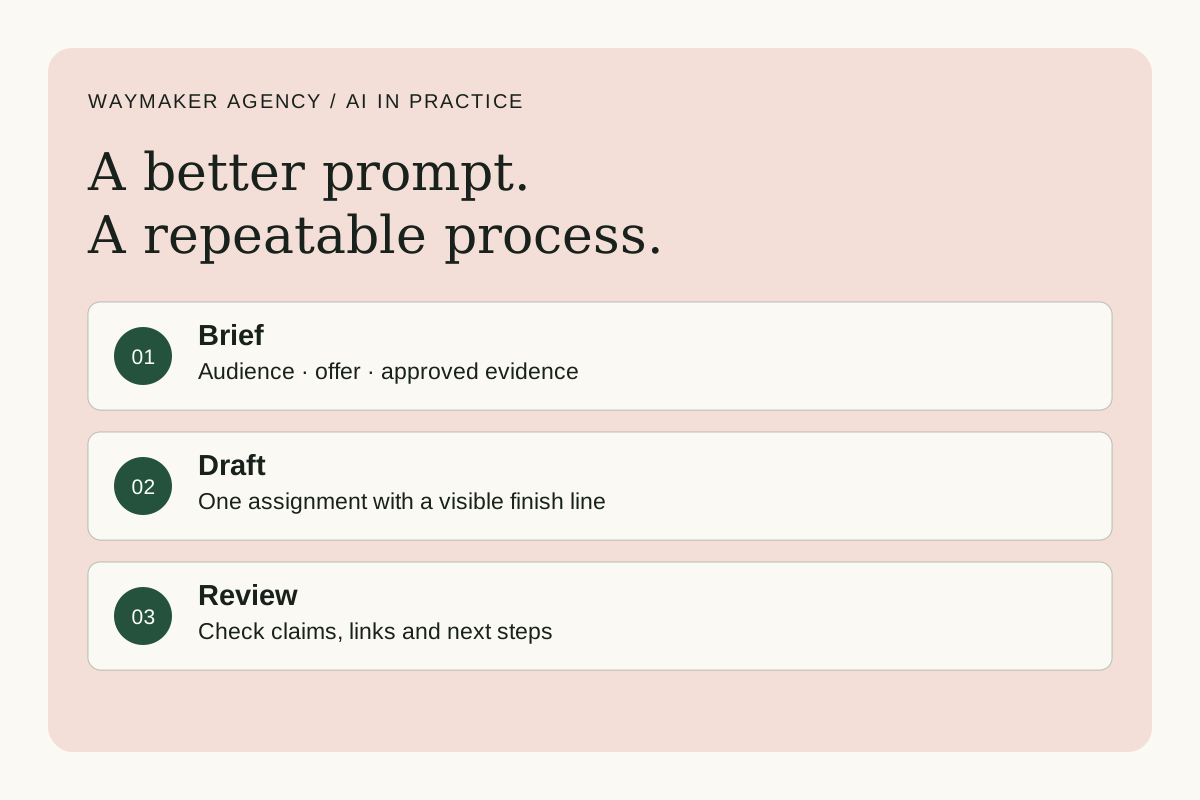
For this pilot, use four stages: prepare the inputs, draft the work, review it, then approve publication. One person can guide the stages manually while the team learns what breaks.
When those stages become repeatable, software can manage the handoffs. In Anthropic's terminology, a workflow follows predefined paths, while an agent can choose its own steps and tools. [3] A weekly email with stable inputs may benefit from a straightforward workflow before it needs a manager agent.
Keep the current offer, draft and review notes together. Record the source version used, the person responsible for approval and the next action. This is our recommended campaign record; it lets a colleague resume the work without searching a long conversation.
For longer work, persistence deserves explicit design. Anthropic's research on agent harnesses describes using progress records and incremental changes to help later sessions pick up a project. [4] The marketing application is a handoff that preserves decisions and unfinished work.
Give the workflow a memory and a definition of done
The software around an agent is often called its harness. It manages execution: supplying information, calling tools, saving progress and handling interruptions. A longer prompt cannot replace those capabilities. Anthropic's work on long-running agents describes leaving progress records so later sessions can continue the work. [4]
For this marketing pilot, use the following task record. This is a proposed operating template, not a feature that a role prompt creates by itself.
Campaign: Homepage clarity review
Owner: [person responsible for the campaign]
Approved brief: [document link and version]
Sources: [service page, customer notes, writing samples]
Current status: Draft ready for review
Latest output: [link to the single current draft]
Open issue: Confirm the intended audience
Next action: Reviewer checks claims against sources
Done when: Owner approves the draft and destination link
Publication state: Not sent or published
Use one current draft location. Let research produce an evidence document and review produce comments or findings. If several agents edit the same campaign file, define who can make changes and how revisions are reconciled.
For an automated implementation, make the task record persistent outside a single chat. Record successful external actions before retrying interrupted work, and make duplicate sending or publishing something the system explicitly prevents.
Review the evidence behind the draft
Use a short checklist that reflects the campaign's actual risks:
- Does the offer match the current service page?
- Can the reviewer trace each claim to an approved source?
- Does the email address the chosen customer problem?
- Does the link lead to the intended next action?
- Are proposed claims, unresolved details and publication status clearly identified?
Another AI pass can help spot omissions. Give it the original brief, the source packet and the draft. Ask for specific discrepancies and the evidence behind each finding. A second model's approval is still something a human may need to check.
For the pilot, keep sending and publishing in the existing human approval process. If you later authorize automatic actions, reflect that scope in the connected tools and account permissions. A sentence in a prompt is only one part of the control.
Use separate prompts for coordination and review
The campaign-writing prompt above produces the asset. These two prompts make the surrounding responsibilities explicit. You can try them manually before building integrations.
Coordinator prompt
Turn this approved campaign brief into a task list. For each task, identify the required inputs, the person or role responsible, the expected output and the acceptance check. Identify which tasks can run independently and which must wait for another output. Flag missing offer details. Keep the task record current and finish with one clear next action.
Reviewer prompt
Compare this email draft with the original brief and source packet. Return a table with the draft statement, its supporting source, the specific issue and a proposed correction. Check offer scope, audience, factual claims and destination links. Mark anything you cannot verify. Finish with ready for human review or needs correction, and explain the unresolved issues.
A useful reviewer can disagree with the draft and show why. If it cannot access a source or open a destination link, the finding should say so.
Add agents when the work can be divided usefully
A research agent could examine customer questions while another checks the approved offer inventory. Their outputs can feed the same brief. Two agents editing the same email at the same time are more likely to create a handoff problem.
Anthropic's multi-agent research system uses a lead agent to delegate separate investigations. Its published account also describes additional coordination challenges and substantial token usage. [5] That supports a measured decision: add a specialist when you can identify the work it owns and show why the extra step helps.
Diagnose the failure before changing the model
When a run disappoints, inspect the work at the point where it first went wrong. Use this troubleshooting table for the pilot.
| What happened | What to inspect | A small correction to test |
|---|---|---|
| The draft invents an offer detail | Source packet and handling of unknowns | Supply the current offer and require a missing-information note |
| The next session repeats completed work | Saved task status and output links | Save a completion record before handing off |
| Two workers overwrite each other | File ownership and task boundaries | Give each worker a separate output and one editor responsibility |
| The review approves a false claim | Access to original evidence | Require the reviewer to cite the relevant passage |
| The run keeps researching | Scope, completion criteria and limits | Define the specific questions that must be answered |
Keep a failed example alongside a successful one. When you change a prompt or handoff, try both again. The improvement you want is a process that handles ordinary work and makes its gaps visible.
Measure the full cost of getting usable work
Try the process on several representative campaigns, including one with missing information. Record preparation time, review time, corrections, software cost and whether the finished draft met the brief.
A hypothetical comparison makes the point. If manual work takes 90 minutes and AI-assisted work takes 15 minutes of preparation plus 45 minutes of review, the saving is 30 minutes. Include the review time in your calculation.
Your first improvement may be a clearer offer document or fewer unsupported claims. Keep that improvement, then test the next change.
Work through one real marketing task
Bring your campaign brief, research summary or recurring task to a 90-minute AI Working Session with Ashley. The session is $350 and focuses on one agreed task, a reviewed draft or example, and a process you can reuse. Scope and availability are agreed before payment; software costs are separate.
If your team needs a connected implementation, explore Waymaker Agency and start with the workflow you want to improve.
Sources and further reading
- [1] Anthropic — Prompt engineering overview
- [2] Anthropic — Prompting best practices
- [3] Anthropic — Building effective agents
- [4] Anthropic — Effective harnesses for long-running agents
- [5] Anthropic — How we built our multi-agent research system
- [6] Grok Bot — Official overview
Sources checked October 23, 2026. Tool features and plan availability can change; review the linked publisher documentation before connecting an account.
Put one idea to work
Bring one recurring workflow, its sources, and a clear owner to a focused implementation conversation.
Explore practical AI training →Explore more from Waymaker AgencyKeep practicing
 Revenue operations
Use AI to improve the sales-to-delivery handoff
Turn sales notes into a reviewed delivery brief that preserves commitments, exposes unknowns, and gives the next team a clear starting point.
October 22, 2026 · 6 min read AI leadership
Lead AI adoption with one useful pilot your team can trust
Create a practical AI adoption pilot with a real workflow, explicit quality criteria, supported learning, and accountable decisions.
October 19, 2026 · 5 min read